
Coherence
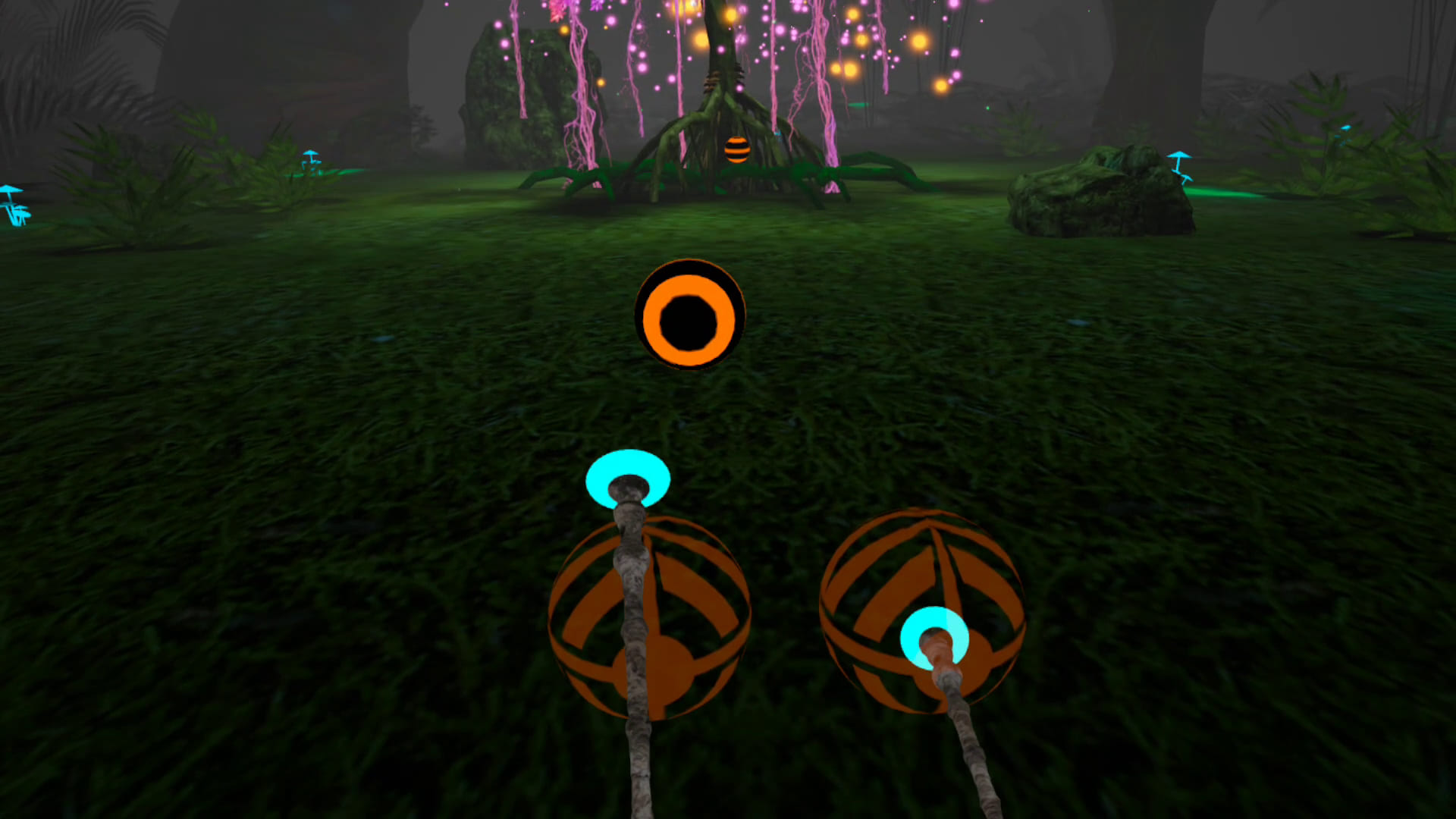
Coherence is an immersive VR experience grounded in research on musical rhythm training. Users drum along to a variety of songs, using their controllers to strike colorful balls on the beat as each one flies toward them. As skills improve, the patterns grow more complex, and eventually the balls disappear, leaving users to keep playing without them. The result is a music-driven challenge that engages timing, coordination, attention, and memory.
How to Use
- Select the application: Move your head to aim the gaze-circle at the Coherence app, then hold for 2 seconds to select it.
- Start the application: Once the app loads, use the trigger button on the back of the right-hand controller to select Start.
- Start a song: Select the Songs menu from the left-side banner, choose a song, and then select Start to begin.
Note: You will start with four available songs. New songs will unlock as you progress and earn stars. - Gameplay instructions:
- Summary: Hold the controllers like drumsticks and tap the targets in sync with the beat of the music. Stay focused, keep the rhythm, and challenge your brain as the patterns become more complex.
- Extended instructions: In this game, you will… 1. Listen to a song 2. Learn and remember the beat pattern 3. Repeat it from memory
- Each pattern has two parts: Visible and Invisible
- On the Visible phase, you learn the pattern by tapping the rhythm balls when they hit the target.
- On the Invisible phase, the balls will disappear, and you’ll need to continue tapping the pattern from memory.
- With each level, the patterns become more challenging. Stay focused, listen closely to the music, and count the beat to stay on track.
- Completing a song: After completing a song, you can choose to either play the song again to finish all the levels and earn a star, or go back to the dashboard and choose a new song.
Note: You cannot exit a session until it is complete. - Exit the application: Press the infinity button (∞) on the right-hand controller. From the menu that appears, select Quit to exit the application and return to the Mynd Home screen.
Controls
- This app requires hand controllers
- Press the trigger button on the back of the right-hand controller to make a selection.
- Tap rhythm balls with controller movements
Levels
Each level includes 4 songs. You’ll begin with one level unlocked, and earning stars will unlock more levels and songs.
- Beginner
- Intermediate: Earn 10 stars to unlock
- Advanced: Earn 20 stars to unlock
- Master: Earn 30 stars to unlock
- Expert: Earn 40 stars to unlock
Tips for Best Experience
- Start with easier difficulty levels and progress gradually
- Focus on feeling the rhythm rather than just hitting targets
- Use only while seated in a stable chair. Do not stand, walk, or move around while wearing the headset.
- Use in a clear space to avoid hitting nearby objects