
Soundscape Distraction
Soundscape Distraction is an interactive XR app that uses customizable, layered sound environments to support distraction-based techniques—encouraging a shift in focus away from discomfort and promoting a calmer state.
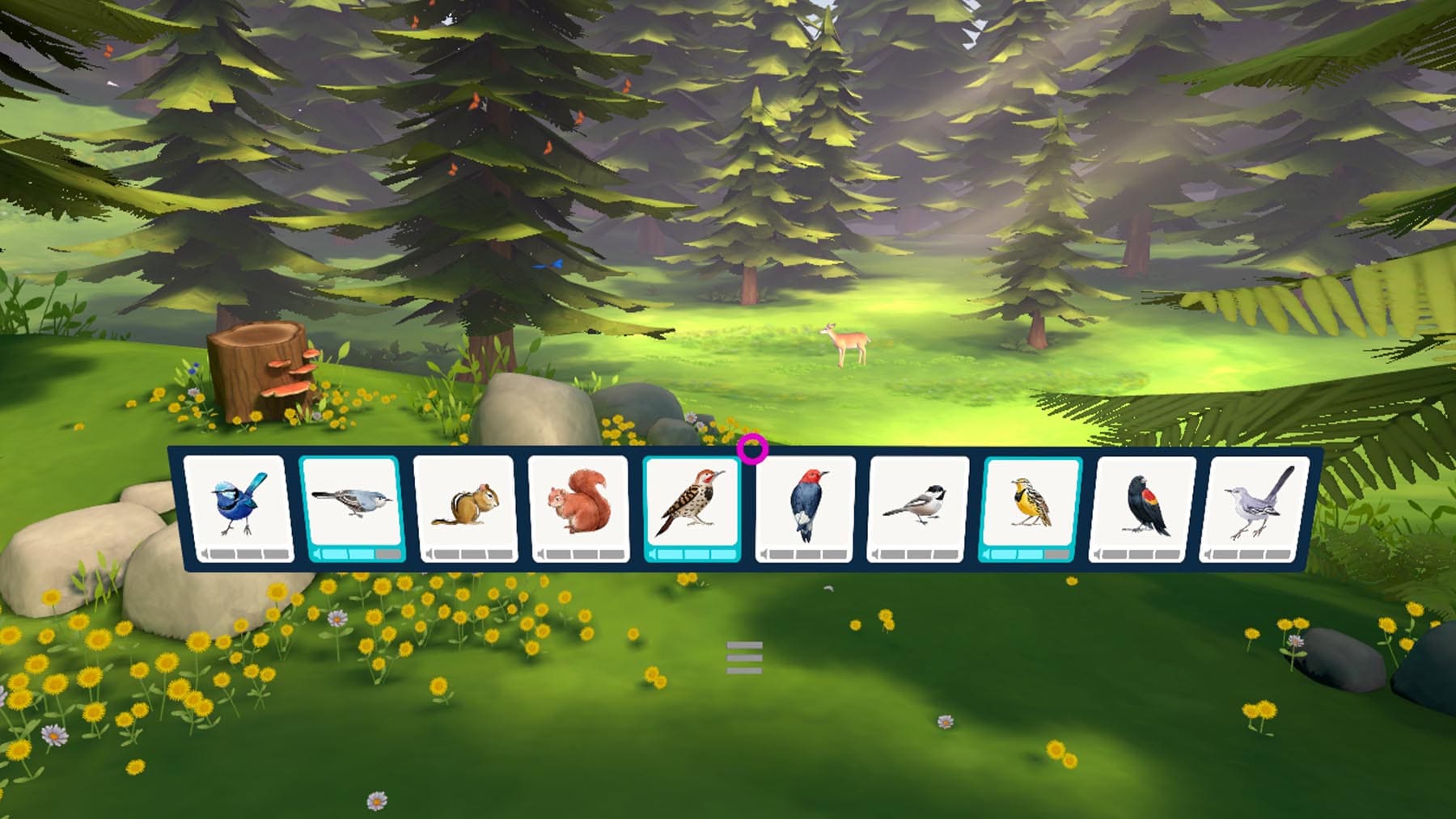
How to Use
- Select the application: Use gaze-based control to select the Soundscape Distraction app.
- Customize session settings: Use gaze-based control to select an immersive environment, then choose your session duration. When you’re ready to begin, select Start.
- Customize your soundscape: Hold the gaze-circle on the audio buttons to turn sounds on and off. Adjust the audio volume by holding the gaze-circle on the bottom sections of each button.
- Access session controls: Aim the gaze-circle at the hamburger menu (☰) located below the audio buttons. From here, you can see time elapsed, pause the session, or exit to the app lobby.
- Exit the application: When you’re ready to leave, aim the gaze-circle at the Quit button in the upper-left corner of the app lobby and hold for 2 seconds. This will return you to the Mynd Home screen.
Controls
- This app uses gaze-based control – No Hand Controllers needed
- To select a menu item, move your head to aim the gaze-circle at it and hold for 2 seconds
Immersive Environments
Choose from one of four unique sound environments.
- Celestial Sky:
Design your own night sky with cosmic visual elements, set to ethereal, celestial sounds - Abstract Sculpture:
Build colorful geometric compositions while surrounded by soothing, contemplative audio layers - Synthwave:
Create a futuristic neon cityscape, paired with upbeat and energetic electronic sounds. - Morning Chorus:
Orchestrate a peaceful forest filled with birdsong and natural ambient sound
Tips for Best Experience
- Use only while seated in a stable chair. Do not stand, walk, or move around while wearing the headset.
- Use in a quiet, comfortable environment
- Breathe deeply and steadily while listening to enhance the calming effects
- Try different sound combinations to discover what feels most comfortable for you
- Adjust volume settings for a soothing and balanced listening experience