
Power Pinball
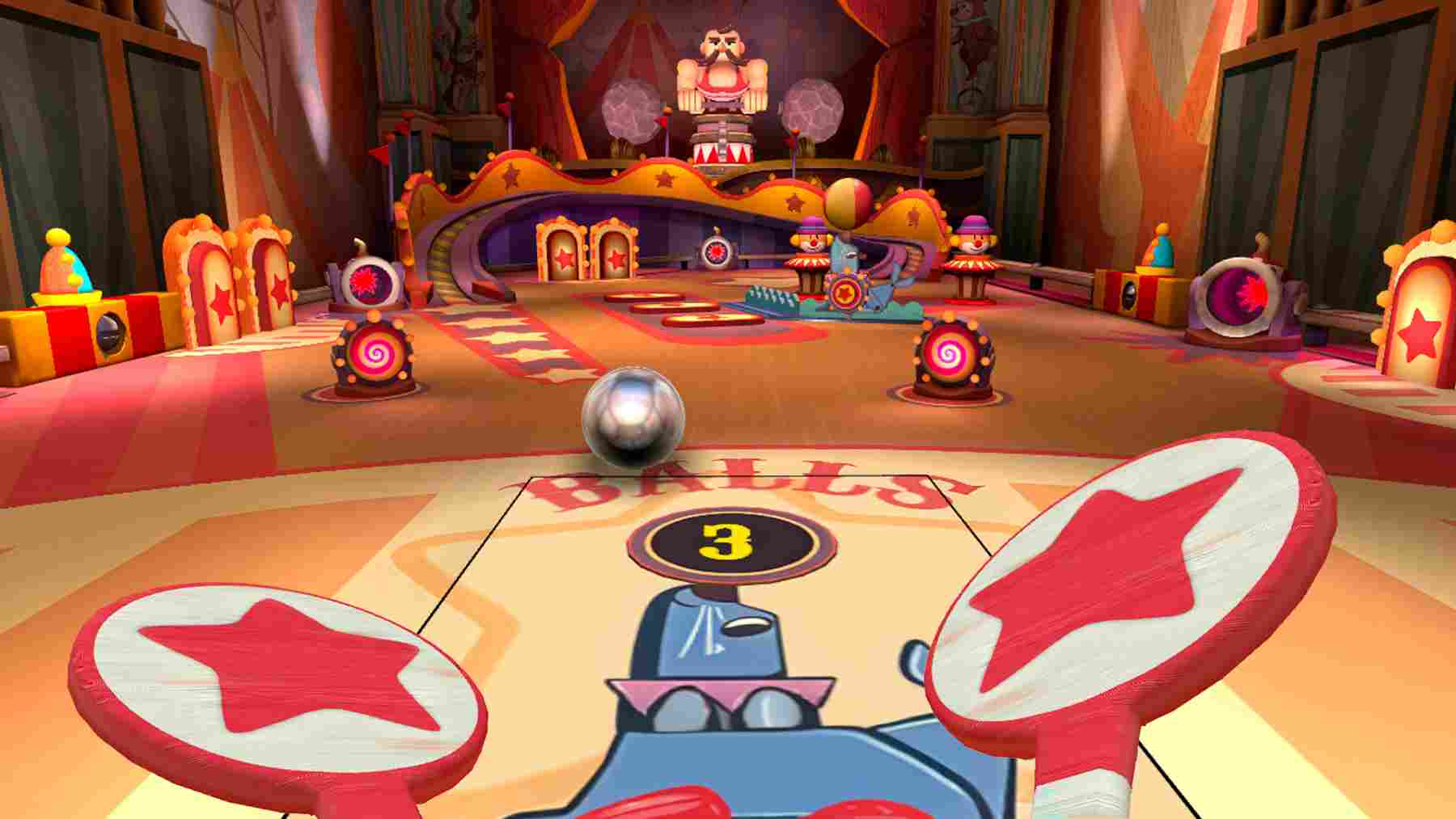
Power Pinball is an interactive VR experience that challenges users to track fast-moving action and react with precise hand or gaze control. With continuous flipper play, it engages attention, timing, and hand-eye coordination in a classic arcade-style format.
How to Use
- Select the application: Move your head to aim the gaze-circle at the Power Pinball app, then hold for 2 seconds to select it.
- Start the activity: Once the app loads, move either Controller to point at the Okay button, then tap to select it.
- Customize your experience: Select a pinball table, then choose a Game Mode (Classic or Timed) and a Control Mode (Gaze Pong, Kayak, or Paddles). Select Start to begin.
- Control modes explained
- Gaze Pong: Control a single flipper by moving your head. Look toward the left or right side to move and hit the ball—no Controllers required.
- Kayak: Use both Controllers together to control a double-sided flipper.
- Paddles: Use both Controllers to control two flippers, one in each hand.
- Access session controls: Press the Menu button (☰) on the left-hand controller to open the menu at any time during the game. From here, you can exit to the app Lobby, start a New Game, Restart the game with the same settings, or Resume the game.
- Exit the application: When you’re ready to leave, navigate back to the app Lobby, press the Menu button (☰) on the left-hand controller, and select Quit App. This will return you to the Mynd Home screen.
Note: The Lobby Menu also includes an option to recenter the view in the headset if needed.
Controls
- This app requires Hand Controllers
- To select a menu item, move either Controller to point at an option, then tap to select it.
Pinball Tables
Choose from three distinct pinball tables.
- Carnival: Trigger the animals, hit the targets, lock the ball, and activate the strong man.
- Mystic Garden: Roll up the ramps, hit the tortoise, fence in the gopher. Bring the garden to life!
- UFO: Defeat the evil alien mastermind and his minions, wave by wave.
Tips for Best Experience
- Use only while seated in a stable chair. Do not stand, walk, or move around while wearing the headset.
- Use in a clear space to avoid hitting nearby objects.
- Take breaks if you begin to feel tired or overwhelmed.