
Bocce Time!
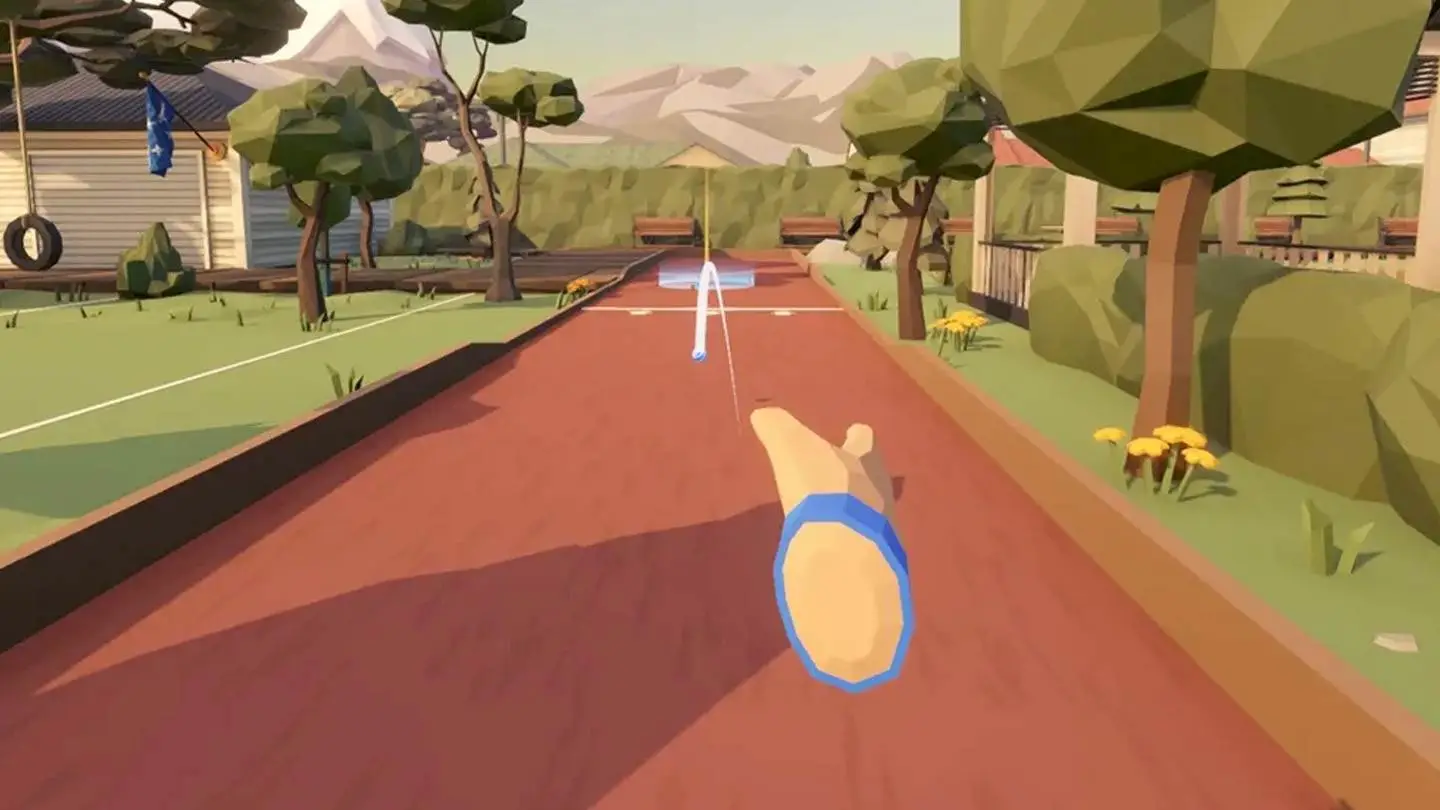
Bocce Time! brings the classic lawn game to VR. Throw, roll, and spin your way toward the pallino across a variety of courts in a fun, easy-to-learn experience that promotes hand-eye coordination, upper-body movement, and strategic planning.
How to Use
- Select the application: Move your head to aim the gaze-circle at the Bocce Time! app, then hold for 2 seconds to select it.
- Starting the activity: Once the app loads, you’ll begin in the Main Menu lobby. The front wall displays the Court Selection menu, the right wall displays the rules, and the left wall displays the controls.
- Select a court: On the Court Selection menu, there are two environments to choose from — the Neighborhood Park (daytime) and the Serafin Pier (nighttime) — each offering six unique courts. Use the left and right arrows beside the environment name to switch between the two environments.
- Choose a difficulty: Point a controller at a court, then aim at one of the three stars that appear to set the difficulty — one star (Bronze) for Easy, two stars (Silver) for Medium, or three stars (Gold) for Hard.
- Once a difficulty is selected, a Play button appears. Aim at Play and press the trigger button to start the match.
- Gameplay instructions:
- The objective: Start by throwing the small pallino ball past the minimum throw line. Then take turns with your opponent, an AI robot named Botty McBotFace, throwing bocce balls to land closer to the pallino. Each player throws four balls per round, and the player with the ball closest to the pallino scores. The first to reach the target score while leading by two points wins.
- Throw a ball: To throw the pallino or a bocce ball, press and hold the grip button to grab the ball, swing your arm backward, then swing forward past your waist in an underhand motion and release the grip button to launch it. The motion is similar to a bowling throw. Note: You throw with your right hand by default. To throw with your left hand instead, press the B or Y button on either controller to return to the Main Menu lobby, go to Settings > Controls and set Main Hand to Left, then press the B or Y button again to return to your match.
- Move around the court: You can reposition yourself to line up a better throw or get a different angle on the court. Push the joystick on the left-hand controller to position the teleport circle, then release it to move there. Push the joystick on the right-hand controller to turn your view.
- Get a closer look: To judge how close the balls are to the pallino and plan your next throw, press the A or X button to teleport near the pallino. Press it again to return behind the foul line.
- Check the score: Look at the back of your non-throwing hand to bring up the scoreboard, which shows the current round, both players’ scores, the number of balls thrown, and each ball’s distance from the pallino.
- Access in-match controls: Press the B or Y button on either controller at any time to return to the Main Menu lobby. From here, you can view Current Match details, adjust Settings, or Quit Match. Press the B or Y button on either controller again to return to your match.
- Finishing a match: When the match ends, you can choose Rematch to replay the same court with the same settings, New Court to play a different environment/court, or Main Menu to return to the lobby.
- Adjusting settings: From the Main Menu, select Settings to personalize your game. Here you can adjust:
- Controls: movement and turning style, throwing hand, throw button, ball spin, and throwing power.
- Gameplay: round progression and maximum score (7, 11, 15, or 21).
- Sound: master, music, voice, ambient, and wildlife volume, plus Botty’s voice on or off.
- Exit the application: From the Main Menu, select Exit Game in the upper-right corner of the display. This will return you to the Mynd Home screen.
Controls
- This app requires hand controllers
- To select a menu item, press the trigger button on the back of either controller.
Bocce Court Environments
Choose from two environments, each offering six unique courts.
- Neighborhood Park: A bright daytime park setting.
- Serafin Pier: A scenic nighttime pier setting.
Tips for Best Experience
- Use only while seated in a stable chair. Do not stand, walk, or move around while wearing the headset.
- Use in a clear space to avoid hitting nearby objects.
- Take breaks if you begin to feel tired or overwhelmed.
- Start on the Bronze (Easy) difficulty to get comfortable with the throwing motion before moving up to Silver or Gold.
- If reaching the pallino feels difficult, increase Throwing Power under Settings > Controls so a lighter throw travels farther.
- Check the scoreboard on the back of your non-throwing hand to plan your next shot.